


How to Fix a Phone Screen That's Unresponsive to Touch
A phone with an unresponsive touchscreen can quickly become frustrating. Whether you're trying to answer an important call, reply to a message or simply unlock your device, a screen that won't respond can make even the simplest tasks impossible.
The good news is that an unresponsive touchscreen doesn't always mean your phone is beyond repair. In many cases, the problem can be caused by a temporary software glitch, a damaged screen protector or even dirt and moisture on the display. Before booking an expensive repair, there are several troubleshooting steps worth trying.
In this guide, we'll explain the most common reasons why a phone screen stops responding to touch, how to fix the issue, and when it's time to seek professional help.
Why is my phone screen unresponsive to touch?
There are several reasons why a touchscreen may stop working properly. Identifying the cause can help you choose the right solution.
Software glitches
Temporary software bugs are one of the most common causes of touchscreen problems. If your phone has recently updated, frozen while opening an app or hasn't been restarted for a long time, the operating system may simply need refreshing.
Dirt, grease or moisture
Your phone's touchscreen relies on electrical conductivity to detect touch. Dirt, oil, sweat and water can interfere with this, making the display slow to respond or preventing it from registering taps altogether.
A damaged or poorly fitted screen protector
A screen protector that's cracked, lifting at the edges or incorrectly installed can reduce touchscreen sensitivity. While screen protectors are designed to protect your display, replacing a damaged one may solve the issue.
Physical damage
If you've recently dropped your phone, the impact may have damaged the touchscreen digitiser beneath the glass. Sometimes the screen appears undamaged, but internal components have been affected.
Low storage space
Running out of storage can affect your phone's overall performance. When the operating system struggles to process tasks, the touchscreen may become slow or temporarily freeze.
Overheating
Using your phone in direct sunlight, playing graphics-intensive games or charging it for extended periods can cause it to overheat. Many smartphones automatically reduce performance while cooling down, which can affect touchscreen responsiveness.
How to fix a phone screen that's unresponsive to touch
If your touchscreen has stopped responding, work through the following steps one at a time.
1. Restart your phone
Restarting your phone clears temporary software issues and is often the quickest fix.
If the touchscreen is completely frozen, perform a force restart using the button combination for your specific device.
2. Clean the screen
Fingerprints, grease and dirt can prevent the screen from recognising touch accurately.
Use a clean microfibre cloth to gently wipe the display. If necessary, slightly dampen the cloth with water or a screen-safe cleaner. Avoid spraying liquid directly onto the phone or using harsh household cleaning products.
3. Remove your screen protector
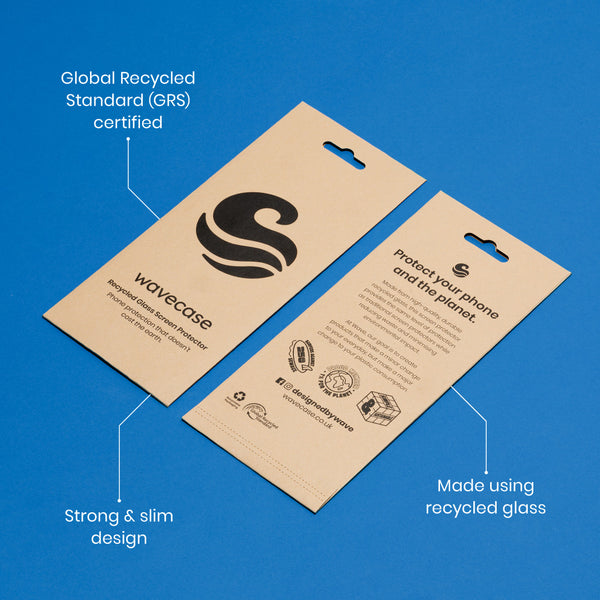
If you use a screen protector, remove it temporarily to see if it is affecting touch sensitivity.
Cheap, damaged or poorly aligned protectors can interfere with how accurately the display detects your touch.
4. Dry your phone thoroughly
Moisture can affect touchscreen performance, even if your phone is water-resistant.
Dry the display with a soft cloth and ensure any charging ports are completely dry before plugging the device in.
5. Charge the battery
If your battery is critically low, connect your phone to its original charger and allow it to charge for at least 20 minutes before trying again.
6. Free up storage space
When storage is almost full, your phone may struggle to perform basic tasks.
Consider deleting:
-
Unused apps
-
Duplicate photos and videos
-
Large downloads
-
Cached files
-
Old messages and attachments
Keeping several gigabytes of free storage available can help your device run more smoothly.
7. Install software updates
Manufacturers regularly release software updates that fix bugs and improve device performance.
Check whether an update is available through your phone's settings and install it if appropriate. Before updating, it's always sensible to back up important files.
8. Let your phone cool down
If your phone feels unusually warm, switch it off and leave it somewhere cool for a while.
Avoid placing it in a fridge or freezer, as sudden temperature changes can cause condensation inside the device.
9. Boot into Safe Mode (Android)
If you're using an Android phone and the problem started after installing a new app, Safe Mode can help identify whether third-party software is causing the issue.
If the touchscreen works normally in Safe Mode, uninstall recently installed apps until the problem is resolved.
10. Factory reset your device
If none of the previous fixes work, a factory reset may resolve persistent software problems.
Before resetting your phone, remember to back up your photos, contacts and important files, as all personal data will be erased.
When should you get your phone repaired?
While many touchscreen issues can be fixed at home, some require professional attention.
Consider arranging a repair if:
-
Your phone has been dropped recently.
-
The display is cracked or visibly damaged.
-
Only certain parts of the screen respond to touch.
-
The display flickers or shows unusual lines.
-
The phone has suffered water damage.
-
None of the troubleshooting steps have worked.
A technician can determine whether the problem lies with the display, touchscreen digitiser or another internal component.
How to prevent touchscreen problems
Although some issues are unavoidable, a few simple habits can help reduce the likelihood of touchscreen problems in the future.
-
Keep your screen clean and dry.
-
Install software updates regularly.
-
Avoid exposing your phone to extreme temperatures.
-
Keep enough free storage available.
-
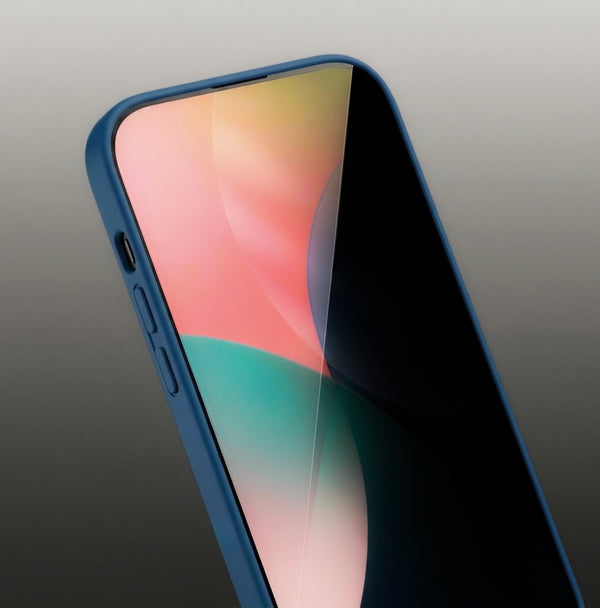
Use a high-quality screen protector.
-
Protect your device with a durable phone case to reduce the risk of damage from accidental drops.
Taking care of your phone not only helps prevent touchscreen issues but can also extend its lifespan and improve overall performance.
Why is my phone screen not responding to my finger?
An unresponsive touchscreen can be caused by software glitches, dirt or moisture on the display, a faulty screen protector, insufficient storage or physical damage following a drop.
Can a phone touchscreen fix itself?
Sometimes. If the problem is caused by a temporary software issue, restarting your phone or installing an update may restore normal function. Hardware damage, however, will usually require professional repair.
Does water stop a phone screen from working?
Yes. Even water-resistant phones can experience touchscreen issues if moisture interferes with the display or enters the device. Always dry your phone thoroughly before using it again.
Should I replace my screen or buy a new phone?
If the device is otherwise in good condition, replacing the screen is often more cost-effective than buying a new phone. However, if your phone is several years old and has multiple faults, upgrading may be the better long-term option.
A phone screen that's unresponsive to touch doesn't necessarily mean your device has reached the end of its life. Many common causes, including software glitches, low storage, overheating and dirty screens, can be resolved in just a few minutes.
Working through these troubleshooting steps methodically can often restore your touchscreen without the need for professional repairs. If the issue persists after trying every solution, or your phone has suffered physical or water damage, it's worth consulting a qualified repair technician to prevent the problem from becoming worse.

Enjoying the blog?
Stay in the loop with tips, product news, and exclusive offers.
By signing up, you agree to receive emails from Wave. You can unsubscribe at any time. View our Privacy Policy for details.
